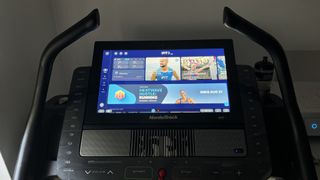
Having a big screen on your treadmill is a game changer. I’ve been using the NordicTrack X22i for a couple of years and I don’t think I could give up the 27-inch screen it comes with. For me, the big benefit is following one of the iFit trainers, such as John Peel and Knox Robinson on one of their runs through stunning locations like South Africa and Hawaii. However, I know some people prefer to just watch a TV show when they walk or run – before the NordicTrack, I got through tons of Netflix series on my iPad while running in the gym.
For streaming fans, the upcoming iFit update will come as a welcome surprise. Its iFit 2.0 operating system has made a number of big changes to the look and feel of the platform and has added the option to watch content from Netflix and Amazon Prime video. The software has been available as a Beta for users to trial for a few weeks, and I’ve been using it for most of that time. Here are some of my thoughts on the new system.
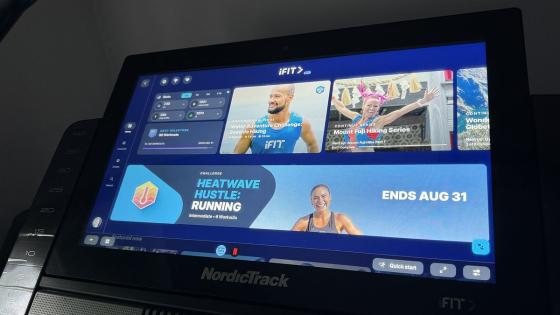
First and foremost the home screen of the iFit menu looks very different. There’s a darker blue look to the layout rather than the sparse white design and the layout has become busier, with more workout options right at the top of the screen and less space given to your stats. The icons that previously ran along the bottom of the screen to switch between menus now sit along the left side and there are two new options at the bottom.
(Image credit: Future)
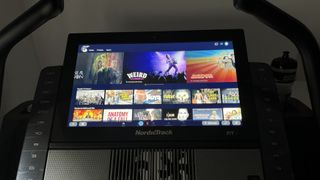
The familiar Amazon Prime Video and Netflix icons open up the respective apps when pressed allowing you to log in to your streaming account. You will need to have your own subscription to these already, but once logged in they will appear across all of your profiles.
Watching from either streaming platform is no different to watching on a tablet or streaming device, with the full range of shows available to stream on your iFit device. While there is an option to download shows, iFit recommends that you stream, as the internal storage on your machine is needed for the OS.
It’s a great experience running while watching my Netflix and Prime Video shows in the X22i’s 27-inch screen. While it’s not a super high res display (just HD) it’s large enough to give a decent picture.
(Image credit: Future)
There are a few changes when following the normal iFit workouts too. The exercise data that runs along the top of the screen is now housed in individual rounded boxes and gives you the option to change between metrics, such as time elapsed and time remaining, and different pace measurements.
When you finish your session, you now get a large graph across the screen showing your speed and incline. However, iFit has removed the option to give the workout a star rating or to leave a comment. This makes sense as although I would always give a workout five stars if I liked it, it was probably not giving much useful feedback.
Having used this Beta for a couple of weeks, I’d say it’s definitely an improvement. I certainly wouldn’t want it to switch back to the old design – which is always a good sign. I really like the option to see the time remaining in the workout, and do find the main home screen easier to navigate. As for the option to stream shows while you run, that’s a game changer and I suspect many will choose to watch their favourite shows instead of the workout. However, I’m usually too invested in my iFit series to stick on a show.
(Image credit: Future)